

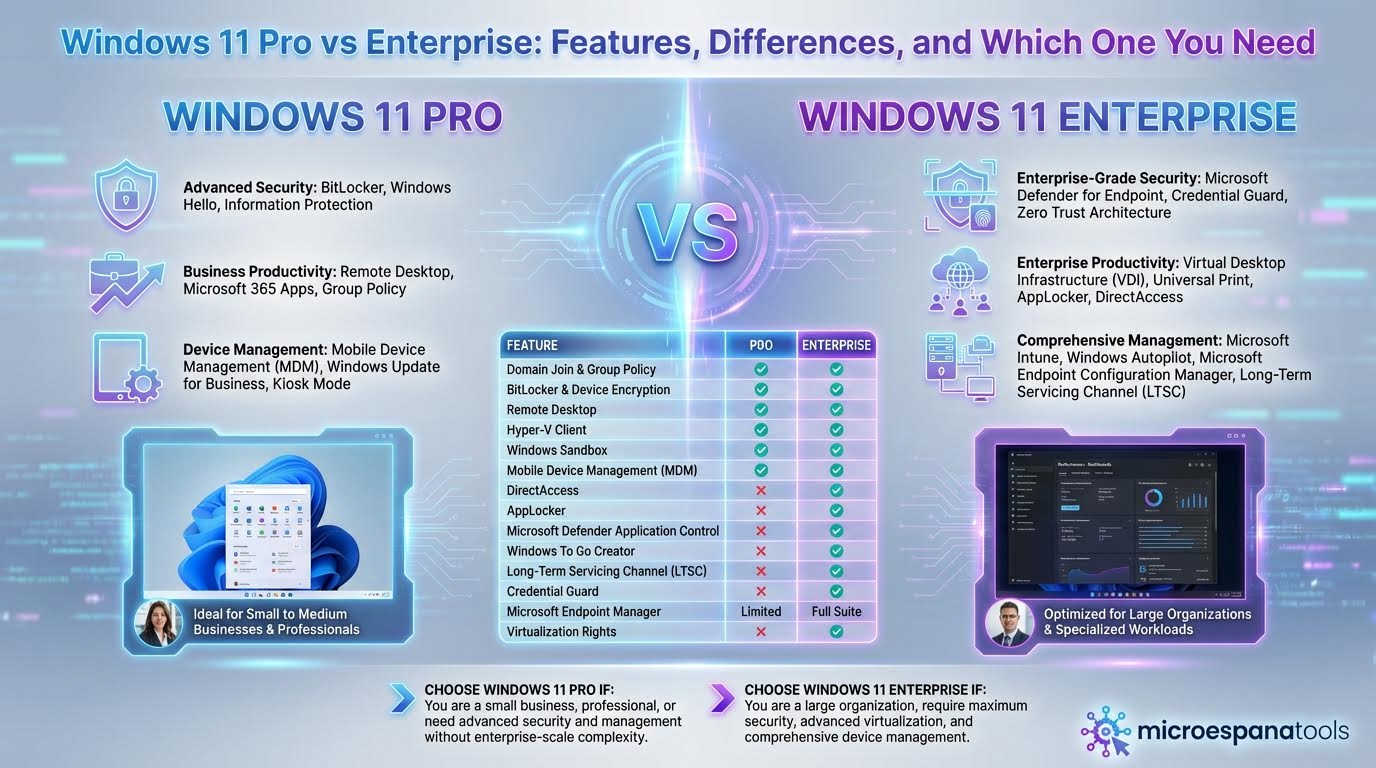
Windows 11 Pro vs Enterprise: Features, Differences, and Which One You Need
Choosing between Windows 11 Pro vs Enterprise features is an important decision for businesses looking to balance security, productivity, and management needs. Both editions are designed for professional use, but they target different organisational sizes and IT requirements.
Windows 11 Pro
is ideal for small to medium-sized businesses that need strong security, easy device management, and built-in productivity tools without added complexity. In contrast, Windows 11 Enterprise is built for larger organisations that require advanced security controls, centralised management, and scalable deployment options. Understanding the key differences between these two Windows editions helps businesses select the right operating system that supports growth, protects sensitive data, and aligns with long-term operational goals.
Windows 11 is built for modern work. It supports productivity, security, and collaboration across devices. This guide explains features, security, pricing, and real business use cases. By the end, you will clearly understand which Windows 11 edition fits your business best.
Windows 11 Pro vs Enterprise: What’s the Real Difference?
The main difference in the Windows 11 Enterprise vs Pro comparison lies in control and scale. Windows 11 Pro is ideal for individuals and small teams. Windows 11 Enterprise is designed for large organizations with strict security and compliance needs. Both fall under Windows 11 business editions, but their goals are very different.
Windows 11 Pro gives you essential tools to manage devices and protect data. Windows 11 Enterprise adds advanced security layers and centralized management. If your business handles sensitive data or manages many devices, Enterprise becomes the safer option.
What Is Windows 11 Pro? (Features & Overview)
Windows 11 Pro is built for professionals, freelancers, and small companies. Many businesses rely on Windows 11 Pro for small businesses because it offers strong protection without high costs. It is also popular among startups, making it ideal for Windows 11 for startups.
Key Windows 11 Pro features include Group Policy Management, BitLocker encryption, and remote desktop access. These tools help secure devices and support Windows 11 remote work features. Built-in productivity tools like
Microsoft Teams integration
and Snap Layouts multitasking make daily work smoother.
What Is Windows 11 Enterprise? (Built for Large Organizations)
Windows 11 Enterprise is designed for scale and regulation. Large companies choose Windows 11 Enterprise for large organisations because it provides deep control over users, devices, and data. It is commonly used in healthcare, finance, education, and government sectors in the USA.
Advanced Windows 11 Enterprise features include Credential Guard, Virtualisation-based security, and Enterprise State Roaming. IT teams also benefit from Centralised device control and advanced Windows 11 enterprise deployment options. This makes Windows 11 for enterprises suitable for complex environments.
Key Feature Differences Between Windows 11 Pro and Enterprise
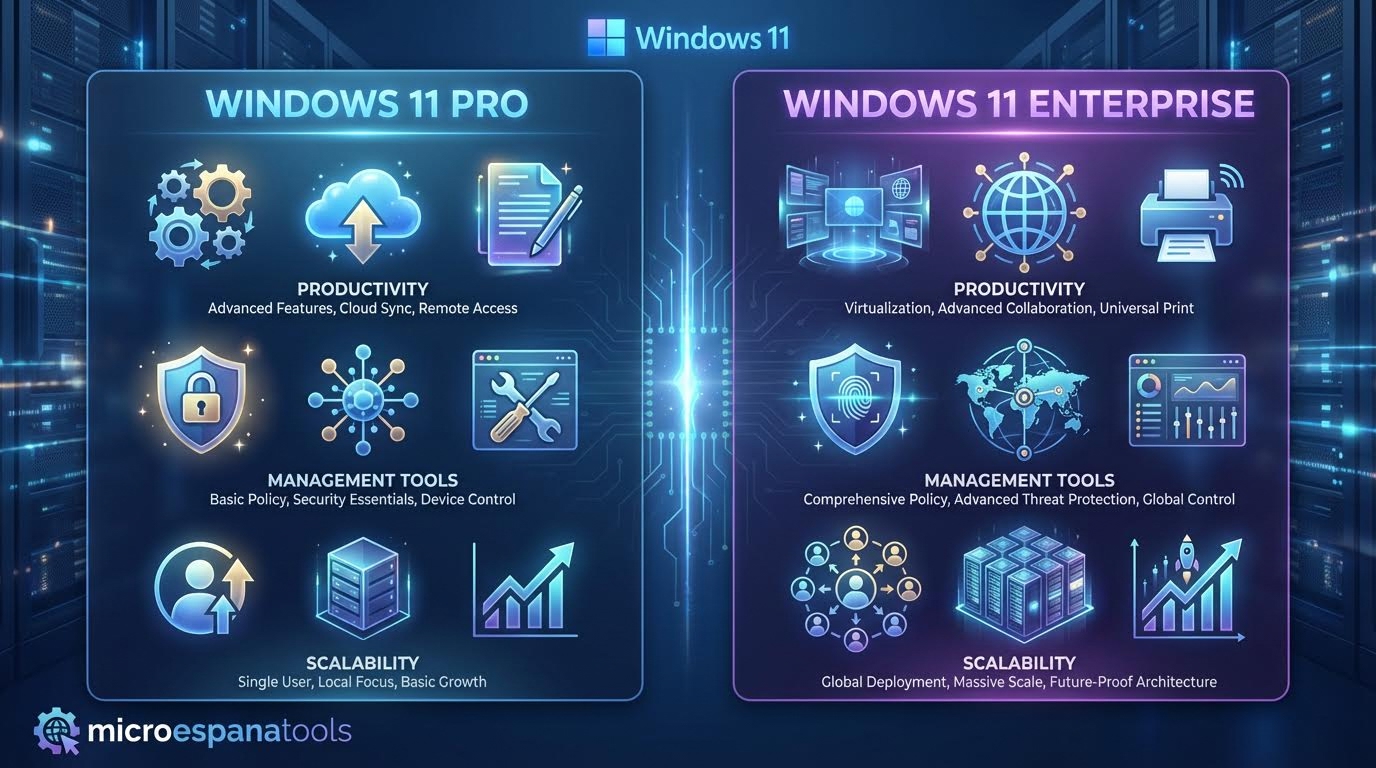
Figure 1: Key feature differences between Windows 11 Pro and Windows 11 Enterprise.
The difference between Pro and Enterprise becomes clear as businesses grow. Pro offers basic device control. Enterprise adds advanced automation and security layers. With Windows 11 Enterprise management tools, IT teams can manage thousands of devices from one place using Device and application management.
| Feature Area | Windows 11 Pro | Windows 11 Enterprise |
|---|---|---|
| Device Control | Basic policies | Centralised device control |
| Security | Windows 11 Pro security features | Windows 11 Enterprise security |
| Deployment | Manual setup | Cloud-based deployment and On-premises deployment |
| Updates | Limited options | Update management control |
Security Comparison: Windows 11 Pro vs Enterprise
Security is often the deciding factor. Windows 11 Pro includes strong baseline protection. Windows Information Protection helps separate business and personal data. BitLocker encryption ensures lost or stolen devices remain secure. These tools provide reliable
Business cybersecurity solutions
for small teams.
Enterprise security goes further. Microsoft Defender for Endpoint, Advanced Threat Protection (ATP), and Credential Guard protect against advanced attacks. These Endpoint security solutions support Enterprise compliance requirements and offer strong Data protection and encryption for regulated industries.

Figure 2: Security comparison between Windows 11 Pro and Windows 11 Enterprise.
Windows 11 Pro vs Enterprise: Performance & Scalability
On a single device, performance feels similar. Differences appear when managing many users. Windows 11 Pro works well for small teams. Windows 11 Enterprise supports thousands of users without issues, making it a truly Scalable operating system.
Enterprise also supports Azure Virtual Desktop and Windows 365 integration. These tools allow virtual desktops for remote employees. Windows 11 Pro does not support this level of scalability, which matters for fast-growing businesses.
Licensing Models Explained: Pro vs Enterprise
Licensing affects long-term cost planning. Windows 11 Pro uses a one-time license model. This keeps Windows 11 Pro pricing simple and predictable for small businesses.
Windows 11 Enterprise uses a Per-user licensing model. Windows 11 Enterprise licensing is usually included in the Microsoft 365 Enterprise bundle. This subscription includes security, management, and productivity tools, making it cost-effective at scale.
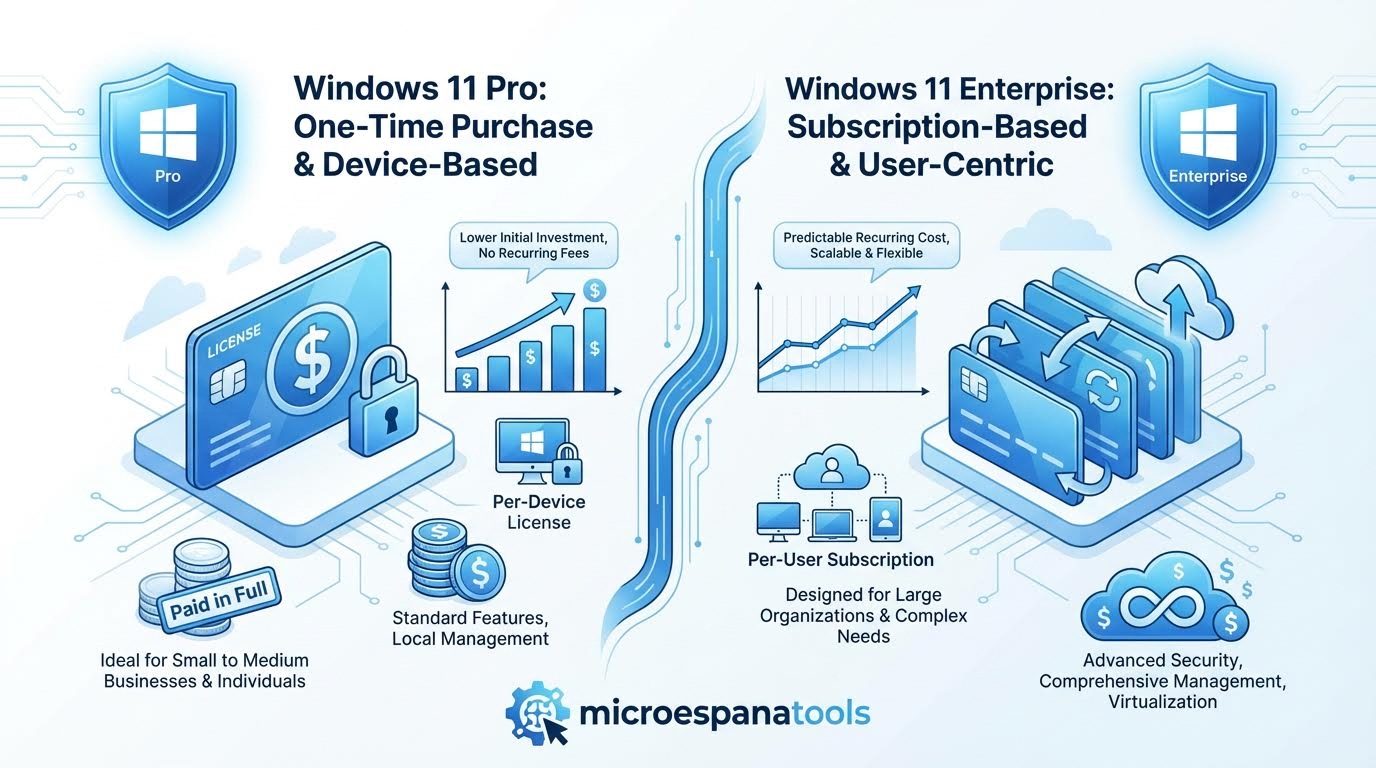
Figure 3: Licensing models explained for Windows 11 Pro vs Windows 11 Enterprise.
Cost Comparison: Which Edition Is More Budget-Friendly?
The budget depends on business size and risk level. Windows 11 Pro has a lower upfront cost. Windows 11 Enterprise costs more monthly but reduces security risks and IT workload. Over time, Windows 11 Enterprise cost can be lower for large organizations.
| Cost Factor | Windows 11 Pro | Windows 11 Enterprise |
|---|---|---|
| Initial Cost | Lower | Subscription-based |
| Security Tools | Limited | Included |
| IT Management | Manual | Automated |
Who Should Choose Windows 11 Pro?
Windows 11 Pro is ideal for freelancers, startups, and small businesses. It supports Windows 11 device management without complex setup. Businesses with limited compliance needs often find Pro sufficient.
If your company values flexibility and lower costs, Pro is a smart choice. It delivers strong Business productivity tools without subscription overhead.
Who Should Choose Windows 11 Enterprise?
Windows 11 Enterprise is best for large organizations with strict security rules. It supports advanced IT infrastructure management across multiple locations. Companies with audits and compliance needs rely on its features.
If your business manages many devices or sensitive data, Enterprise offers peace of mind. It is built for long-term stability and growth.
Can You Upgrade from Windows 11 Pro to Enterprise?
Yes, you can upgrade Windows 11 Pro to Enterprise without reinstalling the system. The upgrade happens through licensing and keeps existing data and settings.
This flexibility helps growing businesses. Many start with Pro and move to Enterprise later when needs increase.
Final Verdict: Which Windows 11 Edition Is Best for Your Business?
The choice between Windows 11 Pro vs Enterprise depends on size, security, and growth plans. Pro fits small teams and startups. Enterprise fits large, regulated organizations.
Choose Pro for flexibility and affordability. Choose Enterprise for control and advanced security. The right decision supports productivity today and protects your business tomorrow.