

Top PDF Readers and Editors for Windows
In 2025, choosing the right PDF readers and editors for Windows can make all the difference in how efficiently you manage your digital documents. Whether you’re reviewing contracts, filling out forms, or annotating reports, the right tool can save time and boost productivity.
Modern PDF software offers far more than just viewing—now you can easily edit PDFs, merge files, convert formats, and even apply AI-powered features for smarter document handling. From simple free readers to professional-grade editors, Windows users have a wide range of options tailored to every need. This guide explores the top tools that simplify PDF management while keeping your workflow smooth and secure.
The Best PDF Editor apps in 2025
Modern productivity revolves around flexibility and simplicity. The best PDF editor apps in 2025 are not just for reading or printing—they’re complete document workspaces that combine PDF annotation apps, PDF organization tools, and advanced PDF converter software. Windows users in the USA now prefer all-in-one PDF solutions that integrate with Microsoft Office and cloud services like Google Drive and OneDrive.
The evolution of PDF editing tools has introduced AI-powered PDF editors that understand context, recognize handwriting, and automate formatting. Whether you need to merge and split PDFs, create fillable PDF forms, or collaborate with others, these editors bring everything together in one interface.
What Makes the Best PDF Editor App?
When deciding what is the best PDF editor app for Windows, several elements stand out—editing precision, speed, interface design, and platform support. A good editor lets you edit text and images in PDFs, sign forms digitally, and convert PDF to Word or Excel without losing formatting.
The best apps also support PDF editing for Windows and PDF editor for Mac users who need cross-platform PDF editors. Many now include PDF collaboration and commenting tools for team projects, giving users a smooth experience regardless of their operating system. Free vs paid PDF editors differ mainly in storage capacity, advanced AI features, and cloud sync speed.
Best PDF Editors of 2025 I Tried and Loved
After testing dozens of free PDF editing software and paid suites, certain programs truly stood out for performance, user experience, and cost-effectiveness. These apps were tested on Windows 11 systems in the USA to ensure compatibility and responsiveness. Each editor was evaluated for AI tools for PDF editing, automation, and real-time file management.
| PDF Editor (2025) | Best For | Key Features |
|---|---|---|
| Adobe Acrobat Pro DC | Professional editing | Advanced AI, e-signatures, MS Office integration |
| Foxit PDF Editor | Enterprise security | Team collaboration, AI redaction, file protection |
| Wondershare PDFelement | Easy management | AI features, templates, PDF converter |
| Smallpdf | Cloud-based tools | Online editing, compression, conversion |
| FineReader PDF | OCR & Digitization | AI text recognition, scanning |
| UPDF | Lightweight editing | Affordable, fast automation tools |
Adobe Acrobat: Best for Professional Editing and E-Signatures
Adobe Acrobat remains the benchmark in professional PDF editing for Windows. Known for its unmatched precision and vast features, it allows users to create fillable PDF forms, collaborate on projects, and secure files using advanced encryption. Acrobat’s integration with Microsoft 365 streamlines business workflows for American offices that rely on document-heavy processes.
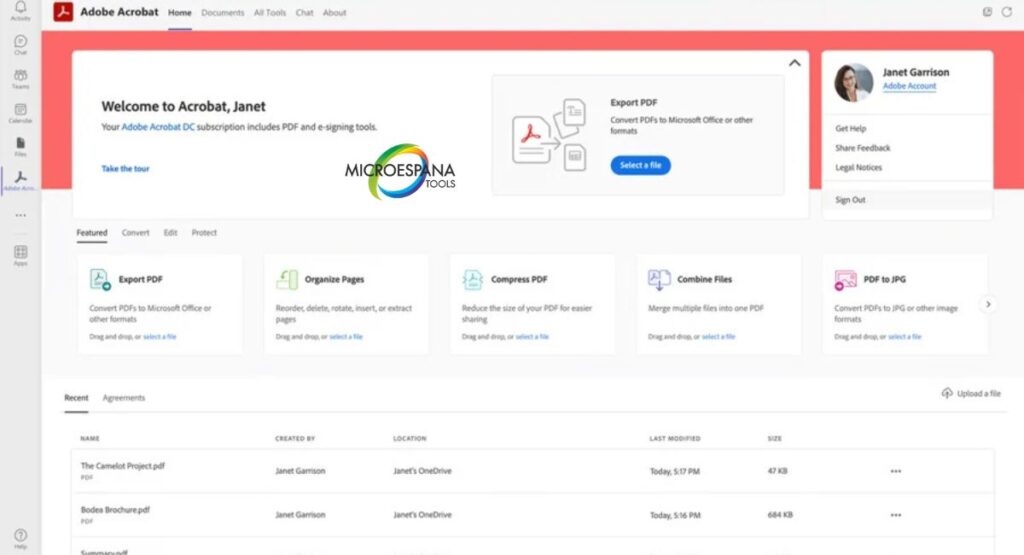
Figure 1: Adobe Acrobat Pro DC Workspace
Foxit PDF Editor: Best for Enterprise Editing with AI Security
Foxit PDF Editor offers powerful document management with AI-enhanced protection. It’s widely used in industries like finance, law, and education where document confidentiality is critical. The platform’s team collaboration features and machine learning technology help detect sensitive content automatically.
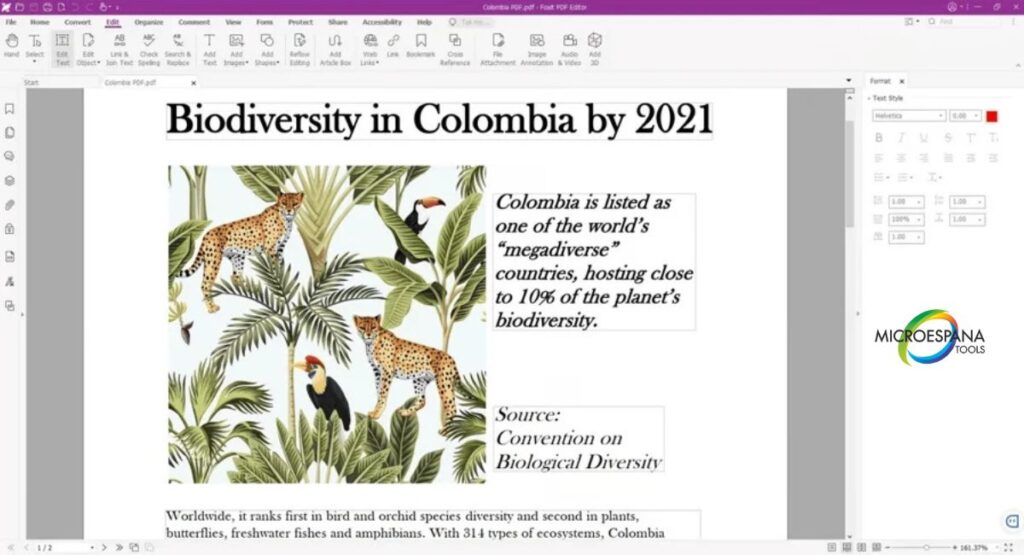
Figure 2: Foxit PDF Editor
Wondershare PDFelement: Best for Easy PDF Management
PDFelement strikes the perfect balance between simplicity and capability. It’s designed for everyday users who want an easy-to-use PDF software solution without steep learning curves. The program’s PDFelement AI features simplify repetitive tasks like text extraction and document translation.
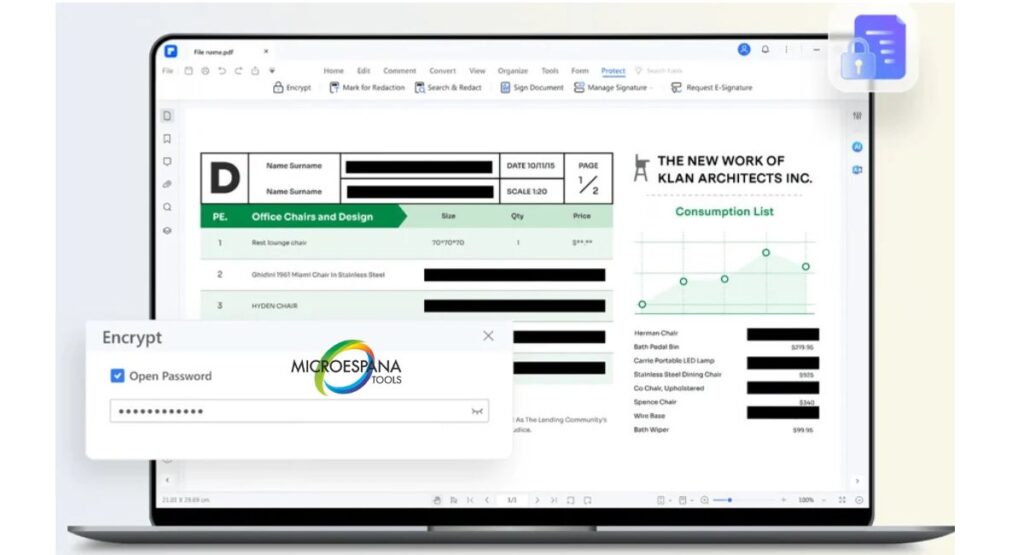
Figure 3: PDFelement Tools
Smallpdf: Best for Cloud-Based PDF Tools
Smallpdf shines as one of the most popular cloud-based PDF editing tools available in the USA. It’s browser-based, so users can edit or compress files without installation. Its interface is minimal, intuitive, and ideal for anyone who needs fast results.
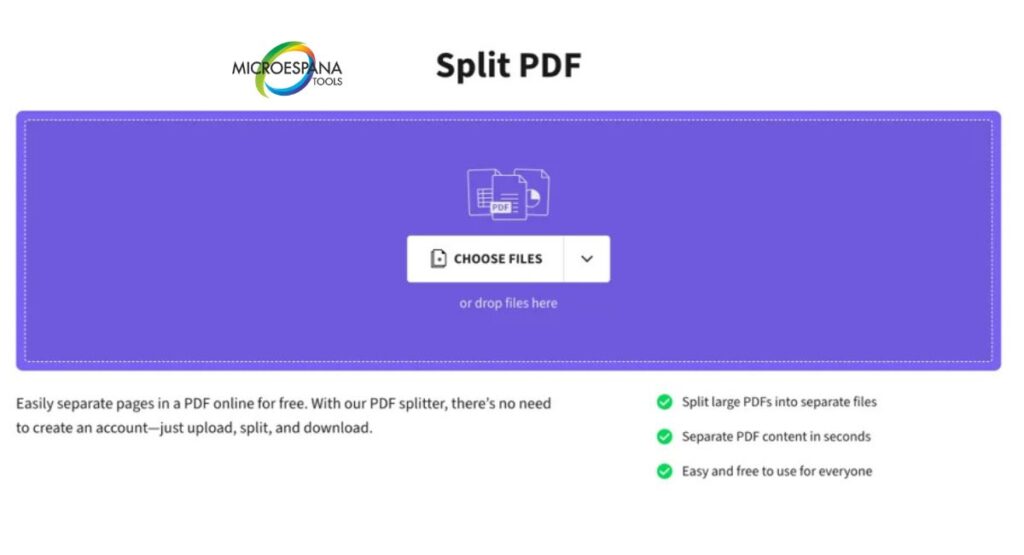
Figure 4: Smallpdf Dashboard
FineReader PDF: Best for OCR and Digitizing Documents
FineReader PDF by ABBYY excels in optical character recognition (OCR). It turns scanned images and printed documents into editable text with remarkable accuracy. Professionals who work with legal records, research papers, or archives often rely on this app to digitize and organize files.
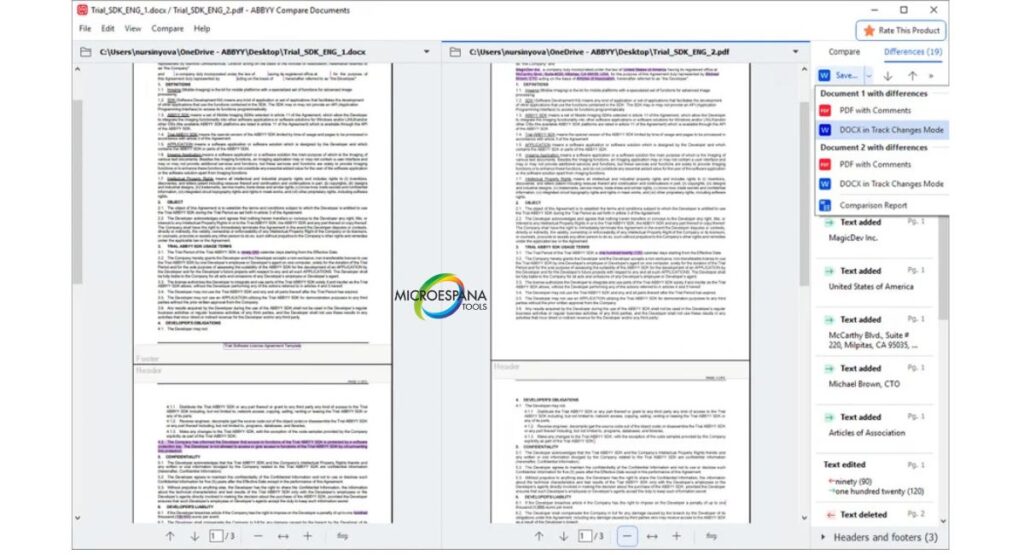
Figure 5: FineReader OCR Technology
UPDF: Best for Basic Editing with Enterprise Controls
UPDF delivers a straightforward interface designed for startups and small offices. Despite its minimal look, it supports essential features like annotation, signing, and quick form editing. Administrators appreciate its enterprise control dashboard, allowing them to manage permissions and access levels across teams.
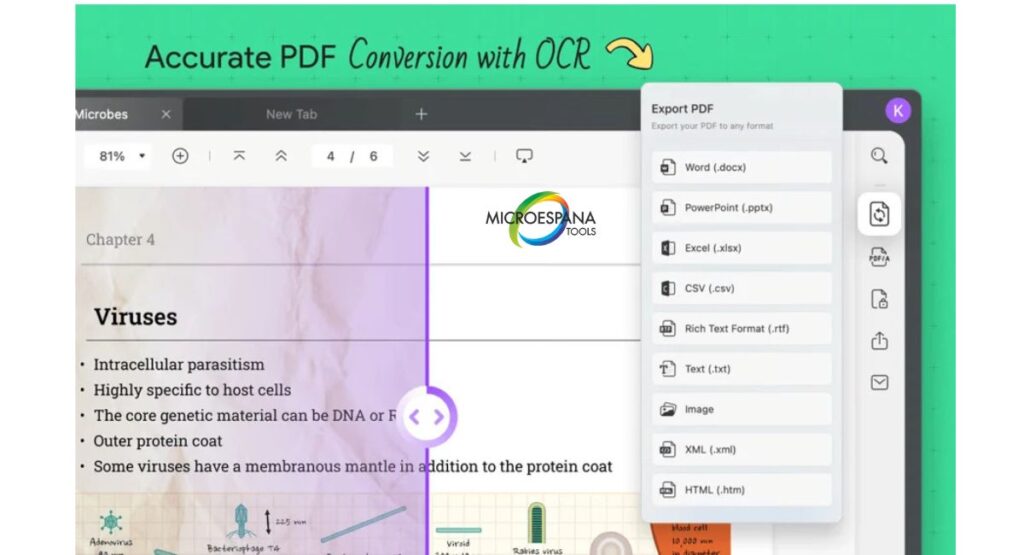
Figure 6: UPDF Workspace
The Best Free PDF Editor Apps for Windows and Mac Users
Not everyone needs premium subscriptions. Some free PDF editing software still delivers remarkable performance for casual use. Popular choices include Sejda online editor, LibreOffice Draw, and PDFgear free editor—all capable of handling everyday tasks like annotations, form filling, and conversions.
While free online PDF editor without signup platforms are convenient, they often come with limitations such as watermarks or size caps. Still, for students and small businesses in the USA, these tools offer valuable options for basic editing. Sejda and PDFgear even integrate with CloudConvert PDF converter for seamless online processing.
The Best PDF Editor App with AI-Powered Features
Artificial intelligence has redefined how users interact with PDFs. Modern AI-powered PDF editor platforms like Adobe Acrobat, Foxit, and PDFelement automate layout adjustments, language translation, and document summarization. These AI tools for PDF editing learn user preferences and predict actions, enhancing workflow speed.
Conclusion: The Future of PDF Editing for Windows Users
The competition among the top PDF editors for Windows and macOS continues to drive innovation. Tools like Adobe Acrobat, Foxit, and PDFelement have redefined what it means to manage and collaborate on documents. In 2025, the best PDF editor for Windows isn’t just about editing—it’s about convenience, intelligence, and connectivity.
Best PDF Editors — Frequently Asked Questions (FAQs)
What is the best PDF editor app for Windows in 2025?
Adobe Acrobat remains the most trusted, but PDFelement and Foxit are strong competitors for their lower cost and flexibility.
Is there a free online PDF editor without signup?
Yes. Sejda online editor and PDFgear free editor let users edit and convert files directly in the browser with no registration.
How to edit a PDF on Mac if I use Windows at work?
You can use cross-platform PDF editors like PDFelement or Adobe Acrobat, which sync projects between Mac and Windows via cloud accounts.
Are AI tools for PDF editing really useful?
Absolutely. They enhance productivity by automating form recognition, suggesting corrections, and improving OCR accuracy.