

TeamViewer vs. AnyDesk: Choosing the Top Remote Access Tool (2026 Guide)
The competition between TeamViewer vs. AnyDesk continues to dominate discussions about remote access tools in 2025. Both are among the most trusted platforms for remote desktop software, helping users connect, control, and manage devices from anywhere in the world. Whether you’re a freelancer providing remote IT support or a business managing multiple systems, choosing the right solution can impact performance, cost, and security. While TeamViewer is praised for enterprise-grade remote access, AnyDesk stands out for its lightweight design and speed. This comparison explores every detail—from features and pricing to performance—to help you pick the best remote desktop application for your needs.
What Is a Remote Desktop Application?
A remote desktop application allows you to control another computer or server from anywhere in the world. It’s the backbone of remote IT support tools used in helpdesks, enterprise monitoring, and software for remote work. These platforms are essential for remote troubleshooting, device management, and real-time problem solving without physical presence.
Modern tools use advanced security and low-bandwidth optimization technologies to maintain a fast connection even over weak networks. From small offices to large corporations, they offer features like multi-screen support, remote printing capability, and screen sharing tools that make collaboration effortless.
What Is AnyDesk?
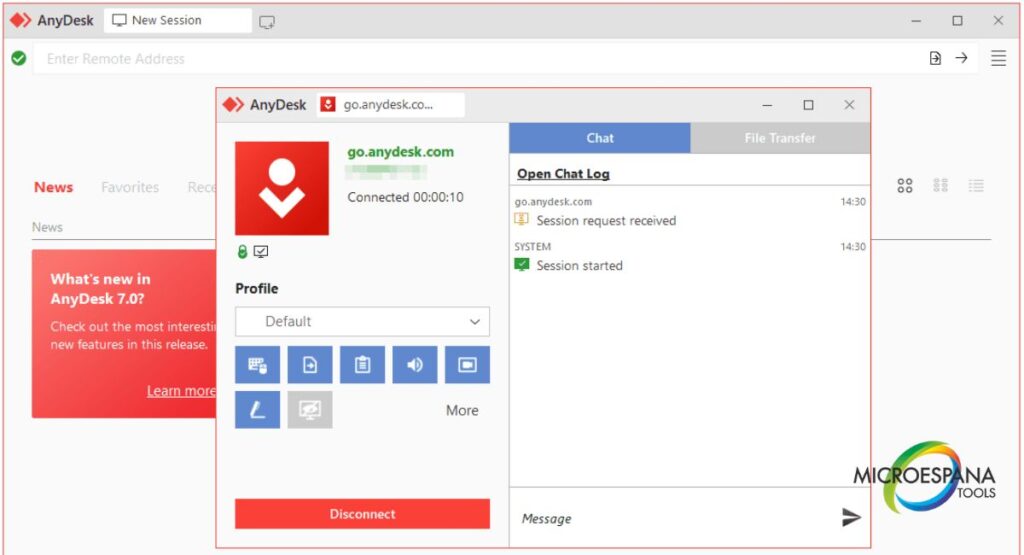
AnyDesk is a lightweight, high-performance remote access solution for businesses known for its proprietary DeskRT video codec. This codec ensures smooth visuals and performance over weak networks. Its user-friendly interface and multi-platform support make it ideal for freelancers, IT technicians, and small businesses.
When exploring AnyDesk features and pricing, you’ll notice its affordable plans and impressive flexibility. It offers unattended remote access, file transfer security, and remote session recording. With TLS 1.2 and AES-256 encryption, connections stay secure while users can customize interface settings and integrate with REST API automation or ITSM integration (ServiceNow, Freshdesk, Jira).
What Is TeamViewer?
TeamViewer remains one of the most professional-grade, business-oriented remote IT support tools worldwide. It’s trusted for enterprise IT monitoring, helpdesk remote support, and online collaboration tools. The software offers cross-platform compatibility, multi-screen support, and a centralized dashboard for managing devices.
It uses RSA 4096-bit encryption to provide secure connections and protect enterprise environments. Over the years, TeamViewer alternatives have emerged, but few match its scalable performance and collaboration-focused design. Integrations with Microsoft Teams, Salesforce, and Slack enable seamless integration into existing IT ecosystems.
AnyDesk vs TeamViewer: Feature-by-Feature Comparison
When it comes to feature-by-feature comparison, both tools shine in different ways. AnyDesk stands out with its low-bandwidth optimization, while TeamViewer excels in enterprise-level integration and endpoint security.
| Feature | AnyDesk | TeamViewer |
| Encryption | TLS 1.2 / AES-256 | RSA 4096-bit |
| Video Codec | DeskRT video codec | H.264 |
| Session Recording | Yes | Yes |
| Unattended Access | Available | Available |
| Mobile Access | Android / iOS | Android / iOS |
| File Transfer | Encrypted | Encrypted |
| Collaboration | Screen sharing, file transfer | Video conferencing integration, whiteboard |
| Integrations | ServiceNow, Jira, Freshservice | Microsoft Teams, Salesforce, Slack |
| Licensing | Per device | Per user |
| Ideal Users | Small business & freelancers | Large enterprise & IT support |
Both deliver efficient, secure, and fast connection performance, but AnyDesk often wins for personal or small business use, whereas TeamViewer dominates the corporate IT landscape.
AnyDesk vs TeamViewer: Pricing Comparison
Pricing plays a critical role when choosing between the two. AnyDesk features and pricing are designed to be affordable and scalable for startups or freelancers. It offers flexible annual subscriptions with transparent plans. In contrast, TeamViewer’s pricing targets large companies that require enterprise IT monitoring and device management platform capabilities.
| Plan Type | AnyDesk | TeamViewer |
| Free Version | Yes (limited use) | Yes (personal only) |
| Basic Plan | $14.90/month | $24.90/month |
| Professional | $29.90/month | $50.90/month |
| Enterprise | Custom pricing | Custom pricing |
| License Type | Device-based | User-based |
Both are cloud-based remote support tools, but AnyDesk provides better ROI for smaller setups, while TeamViewer justifies its cost through IT management software depth and role-based access control (RBAC).
AnyDesk vs TeamViewer: Interface & Ease of Use
Interface simplicity is vital for users who aren’t tech experts. AnyDesk has a clean, customizable, and lightweight design that loads quickly and provides a fast connection. It offers quick access buttons for screen sharing tools and remote printing capability.
TeamViewer, however, is more professional-grade and collaboration-focused. It includes video conferencing integration, file transfer security, and advanced remote session recording. Both allow users to customize interface layouts for better workflow management. For those managing multiple clients, TeamViewer’s centralized dashboard is a time-saver.
AnyDesk vs TeamViewer: Integrations and Compatibility
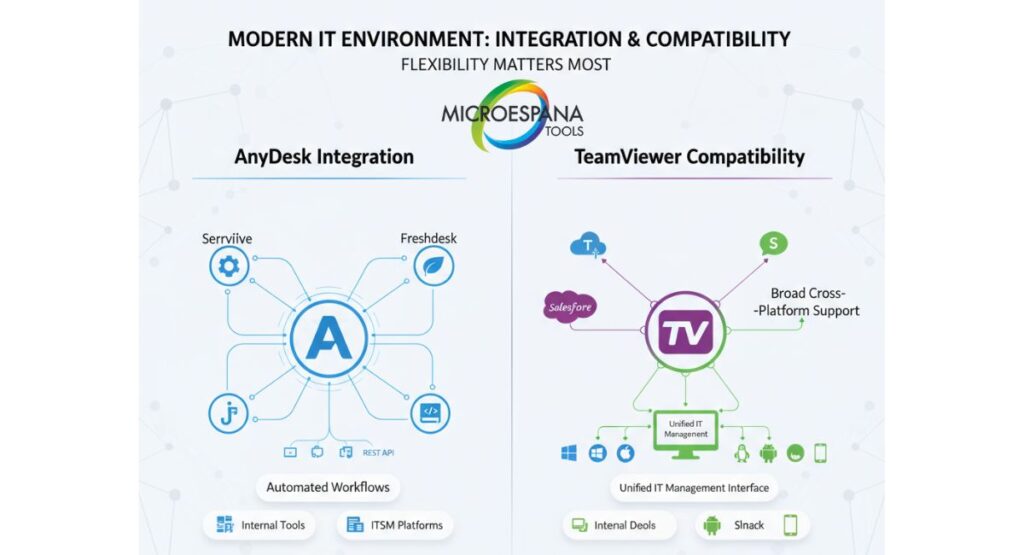
Integration flexibility matters most in the modern IT environment. AnyDesk integrates seamlessly with ServiceNow, Freshdesk, and Jira, allowing teams to automate workflows and streamline remote troubleshooting. Developers can use REST API automation to connect with internal tools or ITSM integration platforms.
Meanwhile, TeamViewer offers broad cross-platform compatibility, linking easily with Microsoft Teams, Salesforce, and Slack. It supports Windows, macOS, Linux, Android, and iOS. With its multi-platform support, businesses can manage devices or supervise IT operations from one interface.
User Sentiment & Ratings Overview
U.S. users consistently praise TeamViewer for its secure connections and enterprise IT monitoring capabilities. Reviews on G2 show it maintaining a 4.5/5 rating, while AnyDesk earns 4.4/5 for its lightweight performance and affordable pricing.
According to Capterra, both tools excel in remote troubleshooting, though AnyDesk is favored for speed and low-bandwidth optimization, whereas TeamViewer is preferred for helpdesk remote support and integration with IT management software like ManageEngine Endpoint Central or Microsoft Intune.
AnyDesk vs TeamViewer: Security & Performance
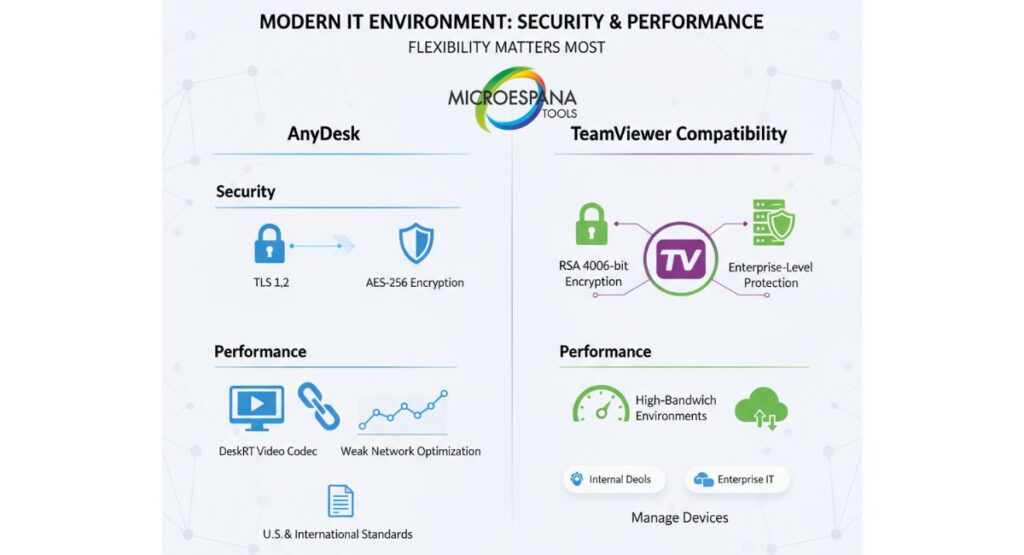
Security is where both applications prove their worth. AnyDesk uses TLS 1.2 and AES-256 encryption, while TeamViewer employs RSA 4096-bit encryption for enterprise-level protection. Both comply with U.S. and international security standards, ensuring that every remote session recording and file transfer remains protected.
Performance-wise, AnyDesk impresses with its DeskRT video codec, designed for performance over weak networks, offering smoother visuals. TeamViewer, however, performs exceptionally in high-bandwidth corporate environments, making it ideal for enterprise IT monitoring and endpoint security management.
Which Tool Is Better for Your Use Case?
Choosing the right remote access solution for businesses depends on scale and purpose. If you’re a freelancer or small team needing small business remote access, AnyDesk offers an efficient, lightweight, and affordable approach. It’s perfect for those who connect remotely occasionally and value fast connection speeds.
On the other hand, TeamViewer suits organizations requiring centralized dashboard, role-based access control (RBAC), and integrations with IT management software like Sophos, Jamf Pro, or Microsoft Intune. For enterprise IT monitoring and helpdesk remote support, it remains unbeatable.
When Should You Choose AnyDesk or TeamViewer?
If your main goal is cost efficiency and smooth performance under weak connections, AnyDesk is the right call. It works brilliantly for developers, educators, and freelancers who rely on remote troubleshooting and collaborative remote control.
However, if your team manages multiple endpoints, uses ITSM integration, and demands strict compliance, TeamViewer delivers unmatched depth. It’s built for large companies that need secure, customizable, and business-oriented remote IT support tools.
A case study from a Texas-based healthcare firm showed how switching to TeamViewer reduced downtime by 40% and improved endpoint security through RBAC and remote session recording. Meanwhile, a California design studio reported cutting costs by 35% after adopting AnyDesk for daily remote collaboration.
Conclusion: AnyDesk or TeamViewer — Which One Should You Pick?
The TeamViewer vs AnyDesk debate narrows down to priorities. AnyDesk shines with its lightweight design, affordable pricing, and fast connection over weak networks. It’s the go-to remote access solution for businesses that want flexibility without overpaying.
TeamViewer, though costlier, remains the professional-grade choice for enterprises seeking multi-platform support, ITSM integration, and robust security protocols like RSA 4096-bit encryption.
If you value simplicity and cost efficiency, go with AnyDesk. If your needs revolve around complex IT management software, enterprise IT monitoring, and online collaboration tools, choose TeamViewer.
Both tools stand tall as reliable remote desktop software comparison champions in 2025 — it’s just a matter of which fits your workflow best.