

qBittorrent vs BitTorrent: Best File-Sharing Client Comparison (USA Guide)
The ongoing debate of qBittorrent vs BitTorrent continues to shape the world of peer-to-peer file sharing. Both clients provide efficient torrent software features that simplify downloading and managing large files. While qBittorrent stands out as an open-source torrent client offering an ad-free torrenting experience, BitTorrent remains popular for its polished interface and premium upgrades. Users across the U.S. often compare their torrent privacy and security to find the right balance between transparency, speed, and usability. Understanding how these two torrent giants differ helps you choose a platform that ensures reliability, performance, and safer downloading in an ever-evolving digital environment.
What is qBitTorrent?
qBittorrent is an open-source torrent client known for its simple design and ad-free torrenting experience. Built by a community of developers, it’s completely free and doesn’t include torrent ads and bloatware. This makes it ideal for users who prefer peer-to-peer file sharing without unnecessary clutter.
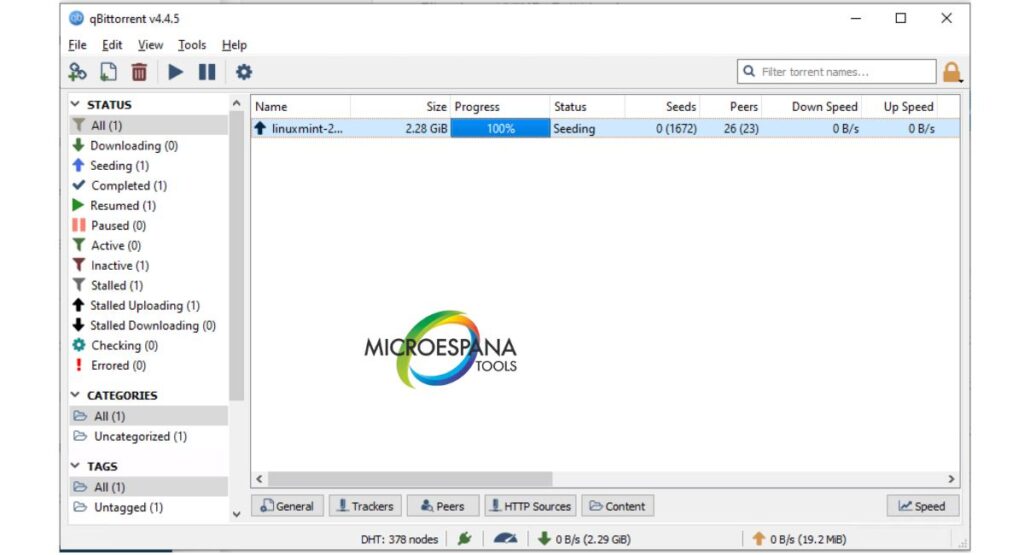
The qBittorrent interface is lightweight but powerful. It supports RSS feed for torrents, magnet link support, and torrent prioritization for precise control. Users can configure proxy and SOCKS settings and take advantage of DHT and peer exchange to improve peer availability. These open-source software benefits make it trusted, secure, and efficient for all kinds of downloads.
What is the BitTorrent Client?
The BitTorrent desktop client is one of the oldest and most popular file-sharing programs. It offers both a free and a BitTorrent Pro version that adds malware protection and built-in streaming. Its design is modern and straightforward, making it great for beginners.
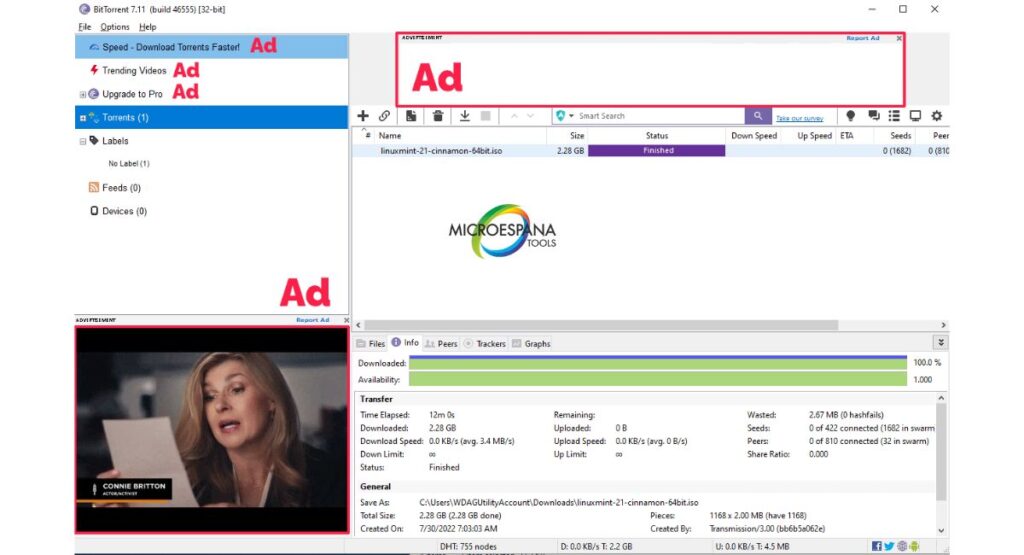
However, the free version includes torrent ads and bloatware. The BitTorrent Pro version removes these and enhances torrent download speed using uTP bandwidth optimization. This helps the client perform smoothly even on slower connections. BitTorrent is a good option for users who want convenience and extra polish.
Similarities Between BitTorrent and qBitTorrent
Both qBittorrent and BitTorrent use peer-to-peer file sharing technology and support magnet link support and RSS feed for torrents. They allow file management in BitTorrent-style workflows where you can pick which files to download first.
They also support VPN binding for torrents, ensuring better torrent privacy and security. Users can manage proxy and SOCKS settings, adjust torrent prioritization, and rely on stable DHT and peer exchange connections. Whether you choose BitTorrent vs qBittorrent UI, both aim for efficient decentralized downloading.
Differences Between BitTorrent and qBitTorrent
The biggest differences between qBittorrent and BitTorrent lie in licensing, cost, and transparency. qBittorrent is open-source software, while BitTorrent is commercial. The latter earns from ads and its Pro upgrade, while qBittorrent stays donation-based and transparent.
| Feature | qBittorrent | BitTorrent |
| Type | Open-source | Proprietary |
| Ads | None | Present in free version |
| Price | Free | Free / Paid Pro |
| Privacy | High | Moderate |
| Speed Optimization | Manual Control | uTP bandwidth optimization |
| Platform | Windows, macOS, Linux | Windows, macOS, Android |
qBittorrent gives users an ad-free torrenting experience, while BitTorrent focuses on convenience and professional features.
Features & Functionality Comparison
Both torrent clients are strong in torrent software features such as torrent prioritization, magnet link support, and DHT and peer exchange. These ensure stable connections and quick downloads. qBittorrent offers more manual control, whereas BitTorrent automates most tasks for ease of use.
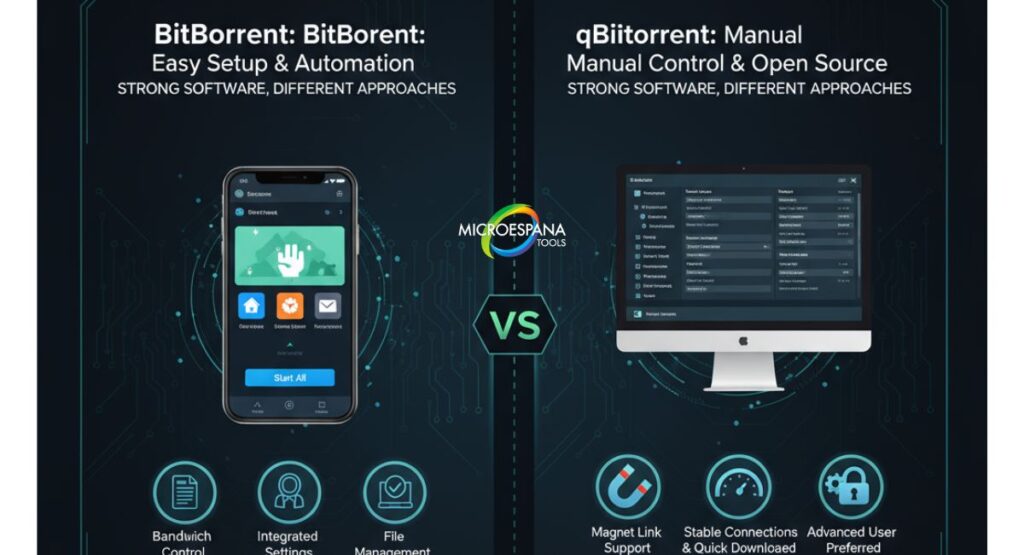
Advanced users appreciate qBittorrent’s open-source vs closed-source software approach, while casual users enjoy BitTorrent’s ready setup. Each includes bandwidth control, file management in BitTorrent systems, and an easy torrent installation process with integrated search.
Security & Privacy
In terms of torrent privacy and security, qBittorrent holds an advantage. Its open-source software benefits mean the code is publicly visible, reducing hidden security vulnerabilities in torrent clients. BitTorrent, being proprietary, is less transparent in this area.
Both clients support VPN for torrenting, which is essential to protect IP addresses and avoid ISP throttling. It’s best practice to enable VPN binding for torrents and use proxy and SOCKS settings for maximum protection. These features keep your data encrypted and private during downloads.
Speed & Performance
Users often ask which torrent client is faster. Several performance test results for torrent clients show that qBittorrent performs slightly better on low-end systems because it consumes fewer resources.
BitTorrent may achieve smoother torrent download speed on fast networks due to uTP bandwidth optimization. Here’s a quick torrent speed test comparison:
| Client | Average Download Speed | CPU Usage | RAM Usage |
| qBittorrent | 10–12 MB/s | Low | Low |
| BitTorrent | 11–13 MB/s | Moderate | Moderate |
Torrenting and Internet Safety
Torrenting in the U.S. is legal when downloading open or public files, but sharing copyrighted material isn’t. Always use a VPN for torrenting and choose trusted sources. Proper torrent privacy settings help avoid risks from malicious files.
Experts recommend open-source vs closed-source software like qBittorrent for fewer security vulnerabilities in torrent clients. Combined with safe practices, this ensures strong torrent privacy and security while staying within legal limits.
Top VPNs for qBittorrent and BitTorrent
For U.S. users, the top VPNs for torrenting include NordVPN, Surfshark, and ExpressVPN. These providers support VPN binding for torrents, have no-log policies, and maintain fast connections. They also improve torrent privacy settings while maintaining consistent torrent download speed.
| VPN | Speed | Logging | P2P Support | Price (per month) |
| NordVPN | Very Fast | No | Yes | $3.99 |
| Surfshark | Fast | No | Yes | $2.89 |
| ExpressVPN | Excellent | No | Yes | $6.67 |
Each option guarantees stable speed and enhanced privacy for U.S. torrent users.
How to Get the Best Torrenting VPN
Finding the best VPN for torrenting depends on speed, privacy, and reliability. Choose one with VPN binding for torrents and automatic kill switch features. Avoid free VPNs, as they may compromise your data.
Once installed, perform a torrent speed test to check performance. VPNs that support uTP bandwidth optimization usually offer faster, more stable connections. Setting up the right VPN enhances torrent privacy and security while ensuring consistent performance.
Mobile Apps and Cross-Platform Support
BitTorrent leads here with its torrent app for Android, offering a smooth mobile experience. qBittorrent, on the other hand, relies on remote-control apps to manage downloads from phones. For users who often download on smartphones, this BitTorrent vs qBittorrent UI difference matters.
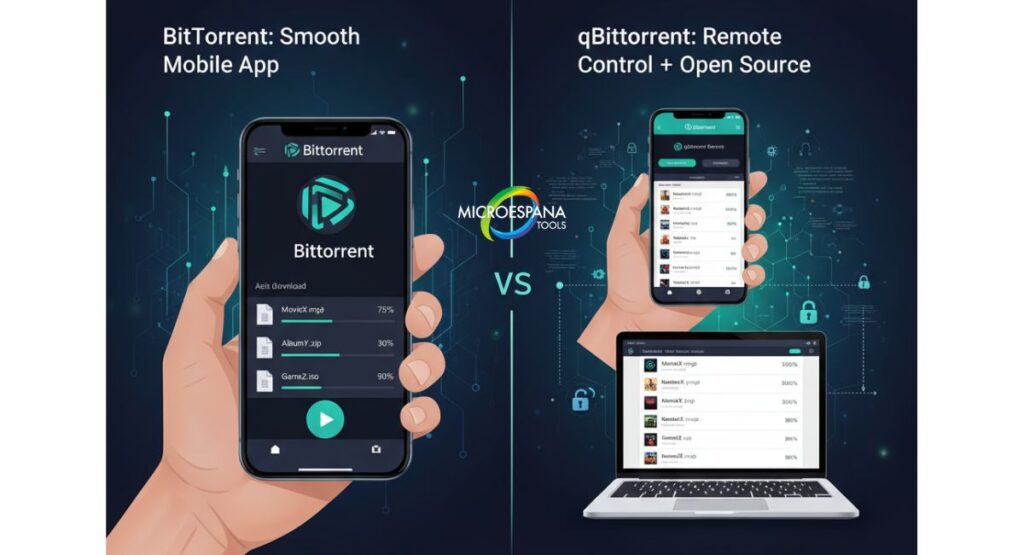
Both work across Windows, macOS, and Linux. However, qBittorrent’s open-source software benefits bring faster updates and community-driven fixes, making it ideal for users who prefer transparency and control.
“In torrenting, privacy and control are not just features—they’re essentials. Choose wisely, torrent responsibly, and enjoy a safer, faster digital experience.”
Conclusion: Which is Better?
After this detailed qBittorrent vs BitTorrent: Best File-Sharing Client Comparison, the results are clear. If you value control, privacy, and an ad-free torrenting experience, qBittorrent is the best choice. It’s lightweight, secure, and customizable.
If you prefer ease of use, a familiar interface, and an official torrent app for Android, BitTorrent might suit you better. While both perform well in download speed comparison, qBittorrent often wins in privacy and stability. Your final decision depends on what matters most—torrent privacy and security or simplicity and brand comfort.
FAQ’s
Which is better, qBittorrent or BitTorrent?
qBittorrent is generally better due to its open-source nature, no ads, and stronger privacy controls
What is the best alternative to qBittorrent?
Deluge is one of the best alternatives, offering similar open-source performance and flexibility.
Is BitTorrent still good in 2025?
Yes, BitTorrent remains reliable in 2025, especially for users who prefer a simple, polished interface and premium features.